Saturday, March 16, 2013

Subtitle Workshop , Add Subtitle to Your Videos !

Posted by عبد الله | 12:57 PM Categories: ,

Subtitle Workshop , Add Subtitle to Your Videos !


Subtitme Workshop

Subtitle Workshop, edited by Urusoft is a free software that can display subtitles videos in order to watch them in their original language (for English versions) while enjoying a French translation. Often, these subtitles are not available by default with a video file if it is not a DVD. It is to solve this problem Subtitle Workshop is to be very useful. This software is the most complete and most effective in this area.

Subtitle Workshop supports over fifty formats including subtitles sub, srt, ssa ... It also has many features necessary for an editing program. Users can easily create, edit and convert subtitles with ease.

About using Subtitle Workshop, it is easy thanks to its intuitive and enjoyable. Users have the ability to perform any task as obtain an excellent performance by writing subtitles, translating, repairing "moments" or manually by simply using all the possibilities available to you.

Using Subtitle Workshop you can easily create new files from scratch and save it in any format. To do this, simply click on the menu "File / New subtitle". Thereafter, you can start adding your subtitles and save the file by clicking "File / Save". Finally, you just have to sync your text with the video by selecting the period during which it should appear.

The software is having great success with the online community and video enthusiasts for its performance and speed to handle. You can also download software and learn as MenuDVD which lets you create menus for your DVD or CD or MiniLyrics to display the lyrics while listening.

Note that the version 4 Beta 4 is available on the downloads page.

You can also visit our comparative study of free software to help you get an idea and select the one that can meet your needs: All best free software.

Size: 1.04 MB (0:01 minutes in ADSL 128)
Download Here

What is YouTube and how to subscribe to YouTube

Posted by عبد الله | 12:08 PM Categories:
YouTube Logo

YouTube is a website hosting videos from which users can upload, view and share videos. It was created in February 2005 by three former PayPal employees, Chad Hurley, Steve Chen and Jawed Karim.
A French version was launched in June 2007, to counter Dailymotion. YouTube is currently available in the language of several countries: Brazil, Spain, France, Ireland, Italy, Japan, Netherlands, Poland and the United Kingdom.

Subscribe to YouTube

 Most of the videos on the site can be viewed by all users, but only registered users can send an unlimited number of videos. Similarly, only the latter can post comments and rate videos online.

Create a YouTube account

 To register, you must create a Google Account and accept the terms of use. If you already have a Google account (Gmail address), you no longer need to create a YouTube account.

Google account will give you access to Google mail (Gmail), social network, Google +, to YouTube and all other applications developed by Google. To create a Google Account, you must specify:
  • Full name
  • A user name that will be used for your email address
  • Password
  • Your date of birth
  • Your sex
  • Mobile Number
  • Your current email address


Once your account is created, you can access your chain. By default, your chain will be your username. You can then select "create a user name" instead of "OK I am ready to continue."

Technical design

The service uses the technique YouTube Adobe Flash to display all kinds of videos: movie clips, TV shows, and music videos, but also videos from amateur blogs for example.
When someone views a video, other videos related to it appear in a scroll bar to the right of the screen, with the title and tags.


Note the appearance of new features: You can post videos in reply to those viewed and subscribe to receive news on a particular subject.
The videos are available by category and by using keywords (tags), and can be imported to a personal blog. 

Retrieve a video and insert it on your hard

To do this, simply make a copy and paste the line of code that appears to the right of the screen showing the video. The line of code changes as you choose whether to include related videos.

Then copy this line in your website or blog: for this your platform offers in general a function of "external media selector" to insert this link.
Another option, insert the hyperlink of the YouTube page on your blog that your readers return to the page without the video will be displayed on your blog or site.


I Hope That Article Helped You , Good Luck .. 

Friday, March 15, 2013

Download any video with RealPlayer

Posted by عبد الله | 8:55 PM Categories: ,

Download any video with RealPlayer 

by Using Real Player Video Downloader, you can download your favorite videos directly from several free sites such as Youtube, Dailymotion, StupidVideos, etc.. You can choose the format you want: mp4, avi, wmv, etc.. Real Player also lets you convert and play any type of video. It's free and easy to use.

Steps

1 - Download the latest free version of Real Player. Go To RealPlayer.com and click the big orange button.

 2 - Install the software. On your PC, double-click the executable file (extension. Exe). Once the installation starts, you accept the terms of use and choose additional features you want to add (eg toolbar weather, etc..).

     If you use a Mac, place the file in the Real Player program folder or window installation. Once you start Real Player, you must accept the license agreement. Click Accept to continue. Choose the format you want to play with Real Player.

3 - Close your web browser. You must close your web browser in order to complete the installation of Real Player Video Downloader.

4 -  Reopen your web browser. Choose a video you want to add to the library of Real Player.

     On your PC, walk your cursor over the video until a button "Download this video" appears at the top right of your video.
     Click on "Download this video" and automatically download the Real Player video to the library.
 
 On your Mac, open the Real Player Video Downloader, all the videos that you're viewing will appear. Pick the ones you want to add to your library and click download
 .
Once downloaded, the video will be added to the library.


Disclaimers :Be careful what you download. Download video protected by copyright is illegal.


Apowersoft Video editor & screen recorders

Posted by عبد الله | 10:01 AM Categories:

Apowersoft Video editor & screen recorders


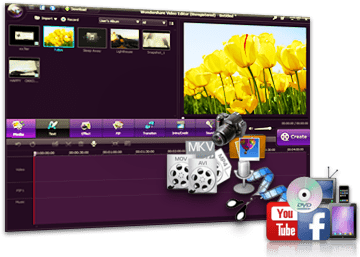
Create professional videos and clips or create TV shows or movies entertainment with videos that you have recorded, filmed or downloaded. Apowersoft recommend this video editing software which is very easy to 
use.


  • Drag and drop the pieces video or audio and even photos to edit
  • Add music, text effects and transitions to your video clips
  • Adjust the speed of the video
  • Use the options mix, split, cut or trim to get the desired final results
  • Share your video across YouTube, Facebook, TV, DVD, iPhone, mobile android etc.
The best video editor available by Apowersoft helps you to create original videos that will impress everyone!
----------------------------------------------------------------------------------------------------------
Unlike other complicated video editing software, video editor that has been specially designed smart for beginners to do their editing video clips in minutes. Videos created with this tool can be used to teach, make a presentation, sharing or simply for fun. You can import any video shot with all types of digital video cameras, camcorders or portable devices etc., or any video recorded by other screen recorders or web cameras or videos downloaded from the Internet. You can then combine these video clips and add your music, images or audio morceax to get results really beautiful!

Create a professional video - Convenient and easy to use

Do not give wrong with complicated video editing software! With this video editor you can easily create professional videos, films, slides, demos and presentations. Everything is done from a single window that gives you access to all the features of the software with a single click. Drag and drop files from the desktop to easily add songs video, audio and music, and transitions, effects, text etc..
Fully customize the scanning frequency frames when you want to overlay pieces video / audio / text using the mouse wheel to stretch / shrink each file.

Import video in multiple formats and from multiple devices

Make video capture from your digital video cameras, web cameras, mobile phones or import any file format AVI, MP4, WMV, MKV and many others from the hard drive of your computer. With this video editing application, you can even add songs or record audio directly with your micophone.


Many effects to help you create stunning videos

There are more than 250 audio / video effects very nice, including filters, improved text effects, transitions and sound effects that let you add special features to your movie or diaporama.Combinez images, music and video clips with all kinds of subtitles and transitions.
Choose from 60 classic and creative visual effects to apply color filters and motion video.
This video editor also includes 50 special dynamic transitions such as the transition blinds, shutter card, square, cross fusion, round diaphragm, roller etc..

Special mounting options for your video

Accelerate or slow down the speed of your video 0.5, 1.5 or 2X compared to the original video. This will make your video easier to watch it or add fun effects.
Create video picture in picture and mix multiple video clips into one video. You can add multiple movies into a single framework for telling stories.
You can mute your video or extract audio from it to adjust separately in the same workspace. You can edit your video in terms of speed, volume and other options.
You can convert a portion of your video mosaic to hide important information or details you do not want to show. You can even hide your face and replace it with a mask fun.

Create and share videos with everyone

After finished editing videos, you can share your masterpieces dœuvres with the whole family or your friends.
Burn DVD with videos for a gift or to look after on your DVD player.
You can also convert your video to standard video or high definition. There are many output formats and profiles available.
Video created will be compatible with iOS and Android and many other devices, such as iPhone, iPad, Samsung and HTC.
Put your video directly to YouTube and other video sharing site.


DOWNLOAD


Thursday, March 14, 2013

Change your language settings in Internet Explorer

Posted by عبد الله | 4:09 AM Categories:

Change your language settings in Internet Explorer

Hello Everybody ,
in this article we will see how to change your language in IE 7 or 8 !
This information applies to Windows Internet Explorer 7 and Windows Internet Explorer 8.
You can add multiple languages ​​to Internet Explorer to correctly display Web pages and address bar. Remember that when you are installing languages ​​in Internet Explorer, they are only available on the websites and the Address bar. To change the language used for menus and buttons in Internet Explorer, you must install a version of Internet Explorer written in the language of your choice.

  • To add a language in Internet Explorer


  1. For open Internet Explorer, click Start, and then click Internet Explorer.
  2. Click Tools, then click Internet Options.
  3. Click the General tab, click Languages.
  4. In the Languages ​​dialog box, click Add.
  5. In the dialog box, select Add a language a language from the list, then click OK.
  6. Repeat steps 4 and 5 until you have added all the languages ​​you want to use.
  7. Click OK twice.
remarque :
If you speak several languages, you can sort them in order of preference (priority). If a website is available in several languages, the content will be displayed in the language that has the highest priority. To change the order of preference of languages, click a language, then use the Up or Down buttons in the order of priority you want to assign.

  • To automatically detect the language of a website
Most Web pages contain information that tells the browser what language and character set to use for display. This type of information is called coding language. When the automatic selection feature language encoding is enabled, Internet Explorer can usually detect the appropriate language encoding, even if the web page does not contain information on the subject. Here how to:
  1. Open Internet Explorer, click Start, and then click Internet Explorer.
  2. Go to a Web page.
  3. Click with the right mouse button on the webpage, point to Encoding, and then click Auto Select.


  • To manually select the language encoding for a web page
If the Auto Select feature can not determine the appropriate language encoding and you know it, you can manually select it.

  1. Open Internet Explorer, click Start, and then click Internet Explorer.
  2. Go to a web page to which you want to select a language.
  3. Click with the right mouse button on the webpage, point to Encoding, More, and then click the appropriate language.
  4. If you are prompted to download the components of language support, click Download.


MyLanViewer ! A Great Software to control your Wifi

Posted by عبد الله | 2:58 AM Categories:

MyLanViewer ! A Great Software to control your Wifi

MyLanViewer network scanner is a powerful IP, NetBIOS and network scanner, whois and trace route tool, Wake-On Manager-LAN, LAN messenger and network monitor. MyLanViewer network scanner displays your network computers in an easy to read, window style friends list that provides the machine names, IP addresses, MAC addresses, sharing resources and other technical dtails for each computer. It is able to monitor IP and show warnings when the states of some computers change. MyLanViewer network scanner can also view and accder partags folders, terminate user sessions and disable resource sharing. MyLanViewer network scanner easy to install and use, and possde friendly interface and beautiful.


System requirements:
Windows 2000, XP, 2003, Vista, 7, 2008, 8. 32-bit or 64-bit. Net Framework is not required.


Download


(Version: 4.14.5, Size: 2,73 MB)

Reactivate your account facebook ..

Posted by عبد الله | 2:36 AM Categories:

Reactivate your account facebook .. 

Hello , 
If your facebook account is disabled, here's how to enable it. Two cases exist:

1. You have disabled your account yourself.

If you disabled your account yourself, it's easy to reactivate. Just go to facebook and login with the email address and password you used at the time your account was still active. Your account will be automatically reactivated.

2. Your account has been disabled by an administrator facebook.

If you are in this situation, it is no-doubt for reasons of safety (if your account was hacked or phished as reported, for example) or because you have not complied with the declaration of the rights and responsibilities of facebook.

If you are in this second case, fill out this form.

Here are some reasons that may lead to disabling a facebook account:

Continuation of conduct prohibited by regulation, even after receiving one or more warnings from Facebook.
Communication with strangers in order to annoy, intimidate, send them advertising or promotions of their make advances or any other behavior that has not been requested by the recipient.
Using a false name.
Identity theft or false information concerning the identity.
Published content in violation of the Bill of Rights and Responsibilities Facebook (these contents can be obscene, pornographic, or representing sexual excessive violence. We are also removing any content, written or visual, that is of a threatening, intimidating, harassing or as a source of unwanted attention or humiliation of an individual or group of individuals).

It is also possible to recover the account by sending a message to Facebook. You explain for example that you will not violate their rules and more that you have read the disclaimer to not remake (the) same (s) error (s). Be polite, write out your message to increase your chances and be patient as it may take a few days to a week.

Here is a list of e-mail address allowing you to contact facebook:
  • disabled@facebook.com
  • info@facebook.com
  • login@facebook.com
  • appeals@facebook.com
You can write your message in French and against it imperative to send the message with the email address that you use for Facebook account was disabled. 

How to remove an application on my Facebook profile?

Posted by عبد الله | 1:57 AM Categories:


How to remove an application on my Facebook profile?ve an application on my Facebook profile?


Your Facebook profile is full of applications that you installed after accepting requests to your friends or simply because you want to try the application. However you do not know how to remove Facebook applications and your profile starts to look like a real battlefield, look no further, says it all here!

Adding a Facebook application profile is so easy that it was soon being overwhelmed with unnecessary or unused applications. The profile is quickly invaded boxes or box applications. To remedy to this, there are 2 ways to delete an application profile.

1 - Directly on the profile:

In fact, go to the page of your Facebook profile. Notice at the top right of the application window, there is a small cross. Click.

In the example above for the application Magnify Video, click on the "X" opens a dialogue. You can choose to completely remove the application and you will have to reinstall for future use or just remove the Case or Box to your profile and you will have to put in the application settings.
It is interesting to note that some applications (displayed on your profile creation) do not have a cross and can not be removed.

2 - Through the application page:

Just as simple as before, you can go through the page of your applications. This method has the advantage to list all the applications that you have installed in this direction and allows better visibility. Click on "Applications" located below the Facebook logo to go to your application pages. or click here

On this page you find a list of all Facebook applications that you installed with the possibility to parameterize and change permissions.
To remove an application from your profile, click "Delete" in front of it. A new dialog box appears.

In this step, if you continue by selecting "Delete", the application will be removed from your profile, application menu to the left of the profile and the page listing your applications. For future use, resettlement will be required.


Wednesday, March 13, 2013

How to open a Microsoft account ?

Posted by عبد الله | 8:09 AM Categories:

How to open a Microsoft account ?

To use Microsoft services, you must create an account Microsoft, that is to say, an email address and password that you use to connect to all Microsoft sites and services, including Outlook.com, Hotmail, Messenger, and SkyDrive. The Microsoft also provides access to other Microsoft sites, including Xbox LIVE, Zune and Office Live.
You can create an account at Microsoft Outlook.com, or you can use an existing email address as Microsoft.

to create an account Microsoft 

  • Go to the Microsoft page registration 
  • To use your own email address as Microsoft account, enter it . If your email provider supports POP3, you can even manage your old address or Hotmail Outlook.com.
-or-
               For a Hotmail inbox, click Create an account now and create an email address for your Microsoft.

    I Hope That You Enjoy This Topic ,
    Good Luck !


    Tuesday, March 12, 2013

    Everything About VLC Media Player

    Posted by عبد الله | 3:00 PM Categories:

    VLC Logo
    VLC media player (VLC) (initially VideoLAN Client) is a free media player from the project VideoLAN1. This software runs on Windows platform since all trends GNU / Linux, BSD, Mac OS X, BeOS, Solaris, Android2, QNX, and even Pocket PC is in close to 20 platforms. It is distributed under GNU / GPL license.

    One of the great advantages of VLC is that it incorporates the necessary codecs to play most audio and video formats. In addition, the reader is able to read a large number of network flows. It also shows very tolerant flows slightly damaged, even to repair its best.

    VLC is now one of the first media players used by 100 to 150 million people3.

    historical
    VLC media player was initially the client for the VideoLAN project, which aimed to create a software for video distribution through a computer network from the École Centrale Paris4, 5 and was broadcast for the first time 1 February 2001 under GNU GPL4. It is now developed by contributors worldwide. The heart of the development of VLC, however, is ensured by a dozen people, only four developers very actifs6.

    The cone-shaped icon Lübeck VLC media player has changed slightly in November 20057. Since version 2.0, the interface has been revised slightly, while remaining sober, with a minimum of buttons possible.

    May 10, 2012, the software exceeds one billion downloads since the beginning of software 20018.

    VLC functions 
    VLC is popular for its ability to play videos incomplete or damaged. This allows you to preview video before it is uploaded completely. Example: With eMule, he can check the quality of the uploaded file and check if you are dealing with a fake file (fake) or not.

    Another interesting feature is the ability to use VLC to play the libcdio library files. Iso so that the user can play the files on a disk image, even if the operating system the user does not the ability to work directly with the files. iso.

    VLC supports all codecs and all file formats supported by FFmpeg.

    VLC Media Player filters distortion, rotation, inversion, deinterlacing, adjusting, duplication, scaling or enlargement.

    Windows, VLC also supports DirectShow.
     

    personalization
    VLC Media Player, running in the former default Wxwidgets interface on KDE.
     With version 0.9.x, the interface of VLC media player has been extensively modified by abandoning the wxWidgets library for Windows and Linux version 4 of Qt uses Cocoa Mac OS X and BeOS Be it uses API. All these environments provide a similar standard interface. However, many configuration options make the software very attractive.

         Skins2


    This interface allows the use of skins to customize the interface of the player. Skins are downloadable from the site VideoLAN16 and documentation for creating new disponible17 is. Unfortunately it happens that some skins are misconfigured which may disable some features.

         keyboard shortcuts
    This module is enabled by default, allows you to control the software using keyboard shortcuts, freely configurable. This allows easier use and faster drive, especially in full screen mode.

         Mouse movement

    This interface is used to control the software using mouse movements. Unfortunately at the moment (1.1.X), only four functions are controllable as well.

    Using VLC with other programs
    • API

    There are several APIs that can connect to VLC and use its features:

         Libvlc API, which is at the heart of VLC for C, C + + and C #;
         JavaScript API, which is the evolution of ActiveX API and Firefox integration;
         D-Bus Controls;
         C # interface;
         Python contrôles22;
         Java API23;
         DirectShow filtres24.

    •  VLC as plugin
    Windows, Linux, Mac and some other platforms, VLC provides a NPAPI plugin (in) 25 which allows you to view Windows Media and QuickTime files included in Web pages without using the products Apple or Microsoft. It supports Firefox, Safari and Mozilla Application Suite, but does not yet work with Opera. This plugin has been used by Google to create the Google web Vidéos26 graft.
         Since version 0.8.2, VLC also provides an ActiveX plugin, which allows people to see file QuickTime (MOV), Windows Media, MP3 and Ogg embedded in websites when using Internet Explorer.

    • Applications that use the plugin VLC
    VLC is effective to play incomplete files and can then be used to preview files being downloaded. Many programs use this ability as eMule and KCeasy (en).
         The reader open source Miro also uses VLC.
         Songbird media player VLC uses code and Firefox.
         VLC is also used for reading into the reader Podcasts Noopod (fr).
         HandBrake, an open-source video encoder uses the libdvdcss library for VLC Media Player.

    • Use for television
    VLC is used to read out the television video stream transmitted from the computer by the Freebox Livebox or Neufbox possible by the fact that the television is connected to the box which carries the video stream read from the computer .
         It is also used by the DDREAM, to read on the living room TV streams from the PC.
         VLC can play DTT (DVB-T) received from a TV tuner. An easy way to watch TV then open a text file with VLC, named channels.conf27 example, containing a line of text per TV channel.

    internationalization

    VLC is available in 69 languages ​​in version 1.1.x:

         Afrikaans, German, Albanian, British English, Arabic, Basque, Belarusian, Bengali, Bulgarian, Burmese, Catalan, Sinhalese, Chinese Simplified, Chinese Traditional, Korean, Corsican, Croatian, Danish, Spanish, Estonian, Finnish, French, Friulian, Galician , Georgian, Modern Greek, Hebrew, Hindi, Hungarian, Indonesian, Italian, Japanese, Kazakh, Khmer Kurmanji, Lithuanian, Latvian, Malay, Malayalam, Macedonian, Mongolian, Dutch, Nepali, Norwegian, Norwegian Nynorsk, Occitan, Pashto, Persian Polish, Portuguese, Brazilian Portuguese, Punjabi, Romanian, Russian, Serbian, Slovak, Slovenian, Sorani, Swedish, Tagalog, Tamil, Tetum, Thai, Turkish, Ukrainian, Vietnamese, wallon28

    The program language can be changed at any time in the menu "preferences" but the program must be restarted for this change to take effect.
     

    Monday, March 11, 2013

    Edit files ".Mo"

    Posted by عبد الله | 5:42 PM Categories:
    Firstly to this manipulation you must be on a Windows platform and then have in your possession PoEdit.

    PoEdit Once installed, launch a new "Cmd.exe"
    Go to the bin directory PoEdit.
    Copy your file. Mo in this directory.

    Type this command line:
    msgunfmt your_file.mo > your_file.po
     it should look like this :

    Edit files ".Mo"
      
    Now run PoEdit (poedit.exe)
    Open your file. Generated inches and you should see this and be able to edit save carefree


    How To Export Movies From Windows Movie Maker

    Posted by عبد الله | 5:13 PM Categories:


    Hello All , 
    Here you will see how to export a video from Windows Movie Maker , when you finish your Movie ,


    Enjooy It :)

    Top 18 best free video editing software

    Posted by عبد الله | 3:03 PM Categories:
    Hello All , 

    Top 20 best free video editing software


    Are you looking for a good video editing software to mount and make your own videos, but without breaking the bank? Here's what the web can offer you best:


    1. Apple iMovie
      For Mac OS X.
    2. Pinnacle Vidéo Spin
      For Windows.
    3. Avidemux
      For Windows, Mac OS X, et Linux.
    4. Virtual Dub
      For Windows.
    5. VideoThang
      For Windows.
    6. Wax
      For Windows.
    7. ZS4
      For Windows, Mac OS X et Linux.
    8. OpenShotVideo
      For Linux.
    9. Avs Video Editor
      For Windows.
    10. Video Dub
      For Windows.
    11. Video Pad Video Editor Software
      For Windows.
    12. MPEG Streamclip
      For Windows.
    13. cinefx
      For Windows, Max OS X, et Linux.
    14. Windows Live Movie Maker
      For Windows.
    15. Cinelerra
      For Linux.
    16. PiTiVi
      For Linux.
    17. Kdenlive
      For Mac OS X et Linux.
    18. Open Movie Editor
      For Linux.
    And you, what is your favorite video editing software?

    I hope that you enjoy our topic ..  

    Sunday, March 10, 2013

    Blocking PC / hangs / frozen system

    Posted by عبد الله | 11:29 AM Categories:

    To solve this problem, we must first know the reasons why a machine may crash. The term "freeze" is sometimes used to indicate that the system is "frozen".

    If the solutions below are not sufficient, a search on Google with the keywords "Windows Freeze", "computer locked" or "locking system" or a combination of the three will give you some clues.
    Remember also to refine the query with the brand and model of the device that you suspect to be the cause (motherboard, graphics card, etc.)..

    What makes my PC freezes?

    bad memory :
    Most of the time, blocking problems are due to defective RAM chips. Memory cards NoName (unbranded) have particularly small defects that can prevent the proper functioning of the PC.
    Should be tested memory with Memtest86:
    Memtest results are easy to analyze:
    If your start screen retains the same table after at least one complete pass, we can estimate that the memory is in working condition. If lines are added, your memory is faulty.

    hardware conflict :
    You must restart the PC with a minimum of devices. Disconnect CD players, recorders, Internet connection (modem), printers, hard drives, complementary, etc..
    Retry until reboot the PC more. When it reboots more, reconnect the devices one by one until you meet the problem again.

    Overheating the processor or graphics card :
    Check the temperature of CPU and / or graphics card, and if it is too high, install a more powerful fan.
    To know the temperature of the processor or the video card, just use a utility included with some motherboards, or Aïda 32 (free on Telecharger.com).

    It is also possible to lower the temperature by lowering the CPU voltage in BIOS. Attention! This operation is reserved for experts! It may cause system instability, which would be the opposite of the desired effect.

    faulty power supply :
    This cause is uncontrollable without specific electrical equipment. The solution is to change the diet to a more powerful, while hoping that it will solve the problem or get tested by a professional.

    The blockage can also be caused by micro EDF cuts. It is possible to test your power supply by EDF using a device provided for this purpose. If indeed you are experiencing brownouts, EDF will be necessary, but in the opposite case, it is useful to know that the movement will be at your expense.

    Buying a UPS will solve this problem!

     software conflict :
    It is necessary to remember when was the problem and what are the software or drivers that were installed before the beginning of trouble. Then remove the software or update the driver responsible.

    Defective equipmentPlace the computer in full force review: motherboard, processor, video card, sound card, etc ...A repairer may also do the job and test the machine by changing these components one by one. 

    BIOS settings:
    Make sure that the memory frequency is correct and that the latency is the factory configuration.Voltages are also of paramount importance. Thus, a sub-voltée RAM is often unstable and cause freezes. Check the specifications of your RAM on manufacturer websites and put the recommended value (if you do not know, put between 1.9 v and 2.2 v for the value Vram if it is DDR2, at least 2.2 if v c is the DDR1). The processor voltage is sometimes also cause a voltage too low can cause instability. Ask you once again on the website builder, in general, this value should be between 1.2 v and 1.4 v.A BIOS update is also possible by visiting the website of the manufacturer of your motherboard. Thinking to make a backup of the current BIOS diskette. Do not do this on a stormy day because a power failure during BIOS update would be fatal to it!Tools update for Asus and Abit:Asus:http://www.station-drivers.com/page/asusupdate.htmAbit:For Abit http://www.clubic.com/d/drivers/800.html 

    Viruses :Apart from the problems caused by the computer itself and its components, is obviously the action of viruses graft. It is even one of the leading causes of blockages computer. In this case, there are several viruses and derivatives capable of causing such trouble with the famous Sasser and Blaster.You will find links to all CCM various corrective patches and perform manipulation to disable restore your system in order to better eliminate them.
     

    Tip for Windows :To stop unwanted reboots, sometimes just a simple operation, but it is not effective in all cases:1) Go to the Start menu, then Control Panel, then Performance and maintenance and finally System (or by right-clicking on "My Computer" and selecting properties)2) Click the "Advanced" tab3) Click Settings in Startup and Recovery4) Uncheck "Automatically restart" 

    15 methods to download a video from YouTube (and other platforms)

    Posted by عبد الله | 10:08 AM Categories:
    There are many services / tools to dowonload or even convert Video From YOUTUBE to another format. We have chosen 24, sorted by platform:

    Web-sites

    1. YouTubeX does not have many options but it is simple and functional. It also allows you to share your videos with your friends by email. The only downside, he appoints all videos get_video and it will therefore rename and add the extension. Flv.

    2. KeepVid is another very simple site. No options but it also works with Google Video, MySpace Video, DailyMotion and others. Again we must add the extension manually.


    3. VideoDownloader is very similar to KeepVid, but supports many more video platforms and also has a Firefox extension. As KeepVid downloads are. Flv. We recommend MediaCoder for free conversion or Media Converter.

    4. YouTube Downloads wins the prize for the longest domain name. Its difference is also in the use of a proxy for downloading videos ==> This means that you can download the videos even if YouTube access is blocked from your work place or the country in which you live. Simple "use just copy / paste the URL into YouTube Downloads.

    5. Zamzar is a file conversion service online a lot more than just converting YouTube videos to another format and download them to your hard drive. But the tool is very powerful and that is why we have included in this list. Tested and approved by Team Mashable. you can view the operation on the blog Zamzar

    6. YouTubia is different from other sites to search for videos in addition to the download. Terrible lack of features, but it works!

    7. VidGrab simplissime is another site that works with YouTube, Google Video, MySpace and Break.com. Besides the download function, the site also provides a list of the most viewed videos.

    8. Vixy offers downloading and conversion to DivX avi, mov, mp4 or mp3 (for audio only). The conversion works fine but the quality is not always the appointment.

    9. Hey! Watch is a video encoding service very ambitious and encompassing a nimbre features quite interesting (especially for converting videos into formats suitable for portable media players like the iRiver H340 Trusty). Most services offer a conversion rather poor quality in terms of synchronization of audio and video, with Hey! Watch as it happens but rarely.

    10. Media Converter can seem a little slow but the conversion results are quite good. We tried to convert some YouTube videos to avi (mpeg4 + mp3) and it works pretty well. The tool is not only limited to video conversion but also supports several formats for audio files and documents.

    11. KcoolOnline conversion service is a web-based which supports 98 video sharing sites. This site has 0 options but recommended only for those who seek simplicity in favor of the functional.

    12. KissYouTube is a site that allows, by adding the word Kiss in the video URL to download (www.kissyoutube.com / xyz) to go directly to the site KissyouTube and click to download the video in flv format .
    http://www.kissyoutube.com/

    13. Video2mp3 it's one of the best sites ever , you can download from Youtube , in MP3
    http://www.video2mp3.net/ 

    Windows applications

    13. VDownloader is a desktop application that allows you to directly copy the links from YouTube, Google Video and Grinvi, simply by following these copied these links and click to download. (the tool automatically converts them to mpeg or avi)

    14. YouTube Grabber downloads videos from YouTube flv format. Copy / paste the URL of a video into the program, click "Grab" and the video will be downloaded in the same location as the.

    Plugins
    15. Ook? Video Ook! If so, what is the name of this Firefox extension that allows you to download videos from several sites. It combines the one-click downloading and integration of DownThemAll Firefox plugin.


    • RSS
    • Delicious
    • Digg
    • Facebook
    • Twitter
    • Linkedin
    • Youtube